Raster calculator
The Raster calculator executes mathematical expressions from bands and arithmetic operators.
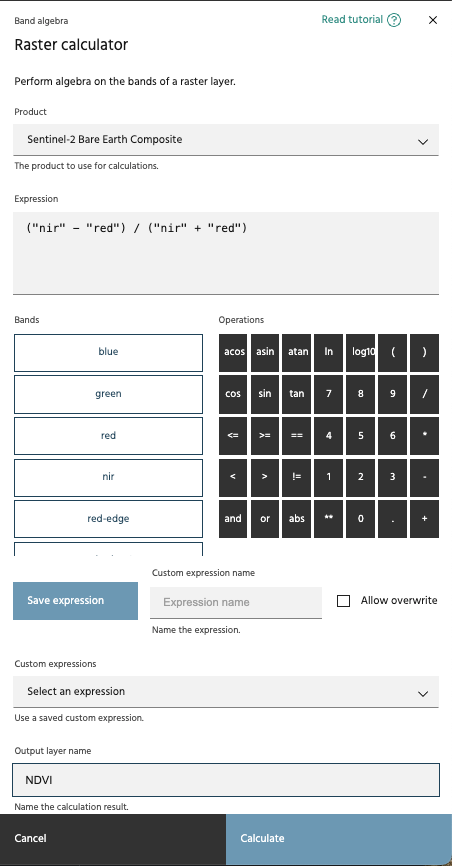
Usage:
- Click the Raster calculator link in the Processing toolbox dropdown menu.
- Choose an available product from the Product dropdown menu. This menu includes all the raster layers you've added to your session.
Tip
To select bands from different products, first use the Merge layers tool.
- Use the Operations and Bands buttons to create the expression you'd like to execute, or type the expression directly into the Expression dialog box.
Tip
The Raster calculator follows Python syntax.
Tip
To create a binary mask using logical operators, use parentheses to separate each condition in the Expression dialog box.
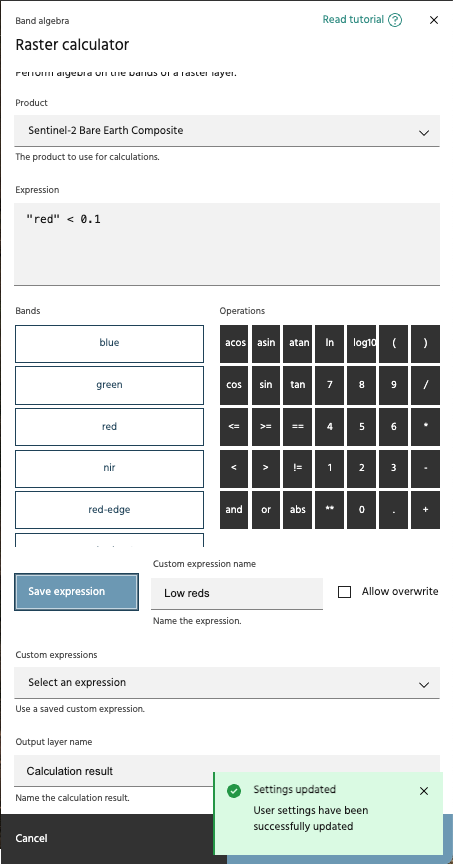
- If this is a common expression you may use again, you can save the expression with a given name. Unless the Allow overwrite box is checked, you cannot overwrite expression names.
Tip
Expressions will follow band names, so it may be useful to name something like "BEC NDVI" or "EnMAP NDVI".
Tip
By default, expressions cannot be overwritten. If you would like to overwrite a name, select the Allow overwrite button.
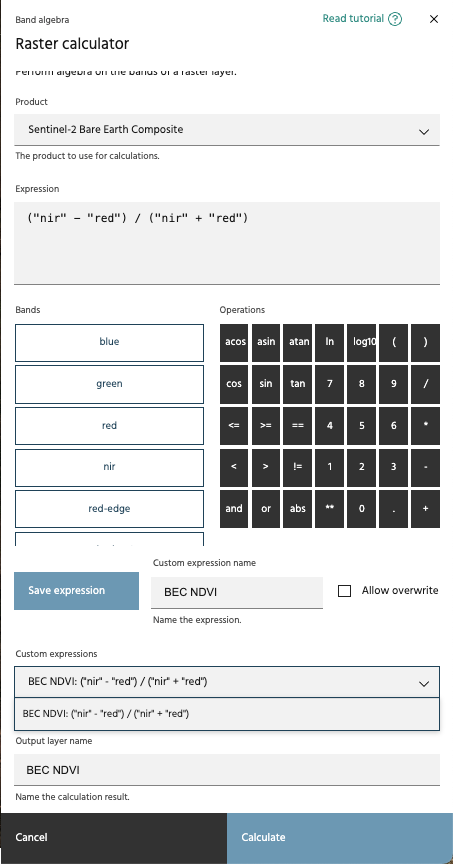
- If you would like to use a previously saved expression, select it from the dropdown. The expression will populate within the expression window, so you can still edit it before applying, if desired.
Tip
Custom expressions can be deleted in the Settings dialog.
- Name the output layer by typing it into the Output layer name field.
Examples include "NIR-R/NIR+R", "NDVI", and "S2 NDVI". If you using a
saved expression, that name will be automatically populated here, though
you can still overwrite it. After clicking
Calculate, the new output will be added to the Raster layers index on the left side of the Marigold user interface.